
An Edge Cache mu-plugin is installed and enabled across all Cloud sites. This plugin provides a UI for end-user edge cache controls, automatic invalidations on content updates, and WP-CLI commands for managing Edge Cache on a single site. No additional plugins are required.
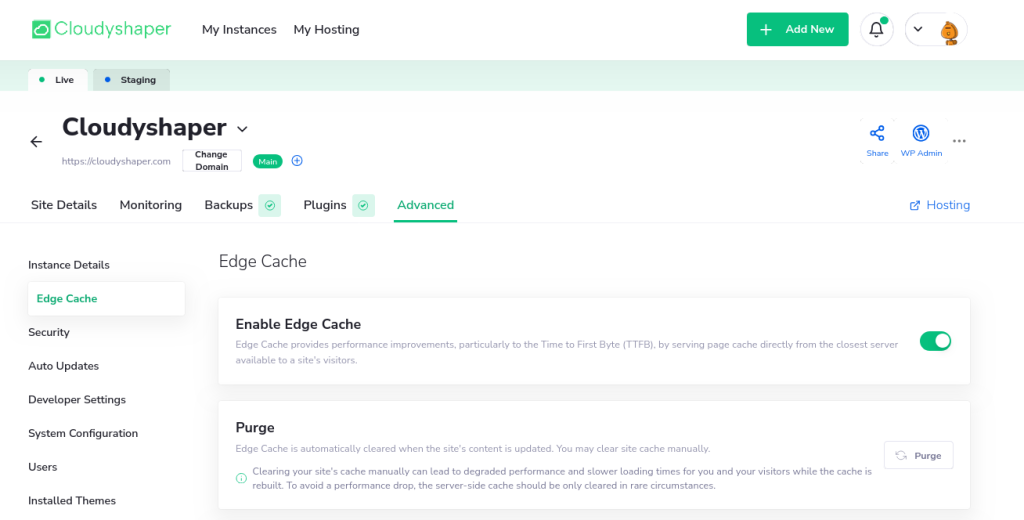
Edge Cache CloudyShaper Dashboard UI
The Edge Cache plugin’s interface is available at CloudyShaper Dashboard “Advanced” section.
Edge Cache WP-Admin UI
The Edge Cache plugin’s interface is also available under WP-Admin -> Settings -> Edge Cache – /wp-admin/options-general.php?page=edge-cache

Troubleshooting
- Errors prefixed with
Edge Cache API: ...are related to WP Cloud Atomic API edge-cache endpoints. - Errors prefixed with
Edge Cache: ...are related to the Nginx LUA auth provider. - Errors without prefixes (excluding specific) are related to the plugin’s local checks (input validation).
- Specific errors are:
–You cleared the cache recently. Please wait a minute and try again.– Purge Ratelimit.
–Error while processing your request. Please wait a minute and try again.– PHP Generic (wp_remote_request failure).
–Failed to process your request. Try refreshing this page in a few minutes. If this error persists, please contact Technical Support.– Failback generic (if the Ajax handler fails (PHP Error))


